All work

Student Transportation Platform · Web, Android & iOS

Safer, smarter rides for students with special needs

Clock b built RIDS Connect for Rids Brother Company Inc.: a web operations portal and Android and iOS driver apps that schedule, route and track individualized student rides for school districts across the USA.
RIDS Connect product screen
Client
Rids Brother Company Inc.
Location
Rodeo, California, USA
Industry
Student Transportation
Platforms
Web · Android · iOS
Duration
2 Years
Team
4 Software Engineers
Stack
Flutter · Google Maps

Challenge

Rids Brother Company has driven students with special needs for school districts and public institutions across the USA since 2009, completing hundreds of thousands of trips for more than 20 districts. Every ride is individualized: specific pick-up and drop-off times, specific vehicles and drivers, and student needs such as allergies that the driver must know. Coordinating all of this through calls, messages and spreadsheets made it hard to stay punctual, keep drivers informed and give districts the accountability they require.

Solution

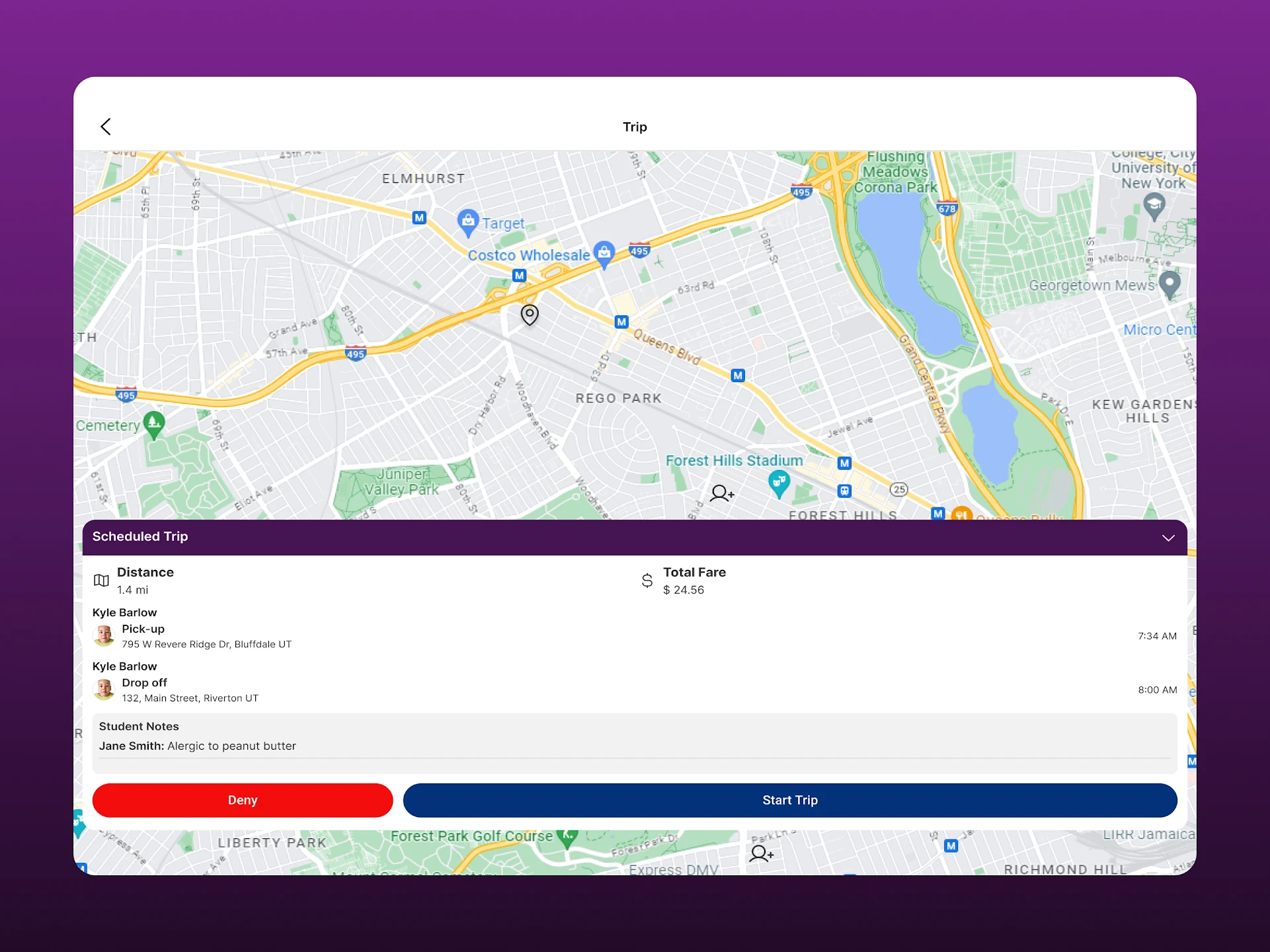
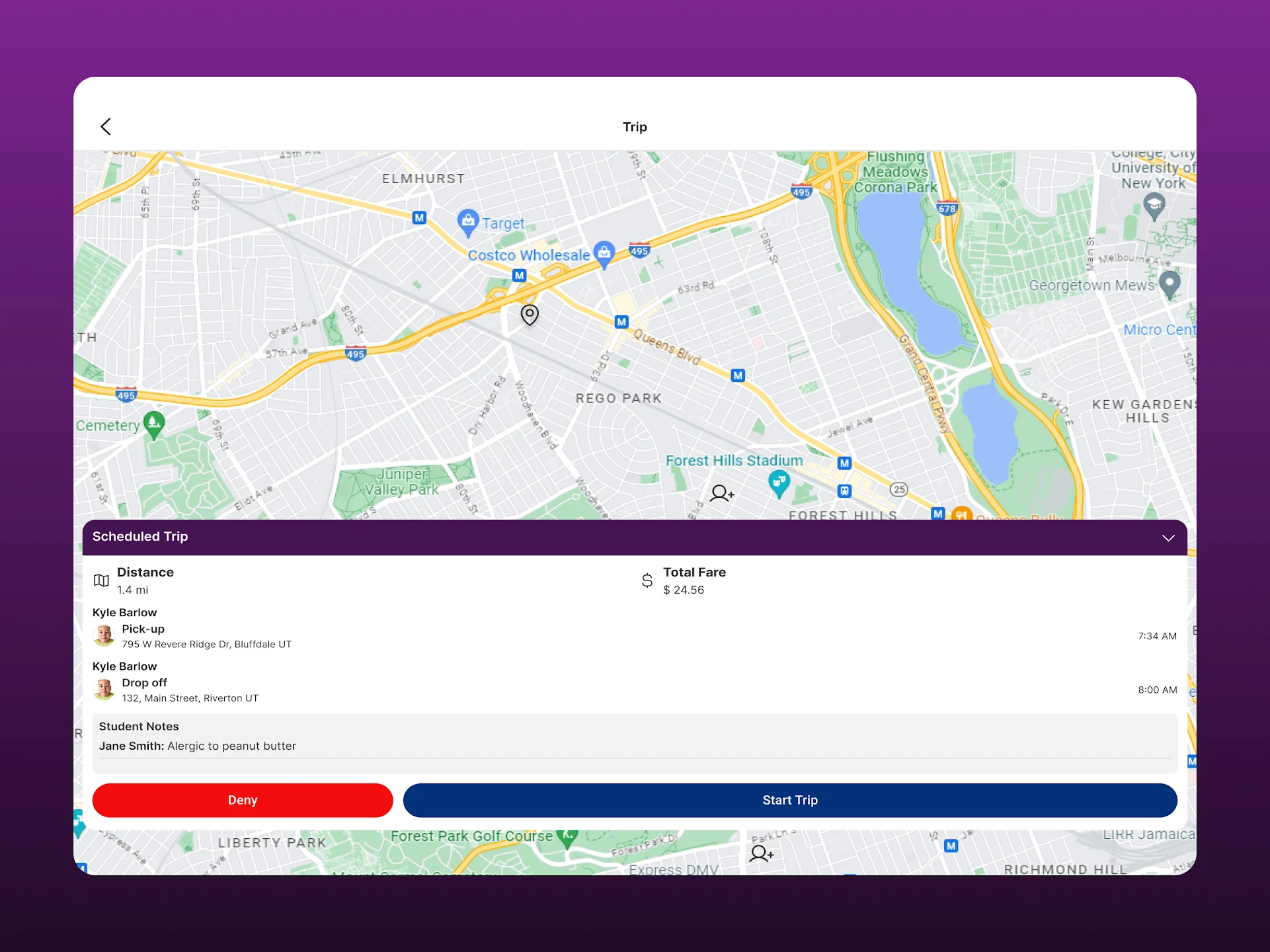
Over two years, a team of four Clock b software engineers built RIDS Connect, a full transportation platform. A secure web portal lets the operations team log in and run the business: trips, drivers, vehicles and students in one place. Cross-platform Flutter apps for Android and iOS give drivers a clear schedule grouped by today and tomorrow, with the vehicle, plate number, pick-up and drop-off addresses and times for each trip. Drivers can accept or deny a scheduled trip, start the route on a Google Map, see distance and total fare, and read student notes such as allergies before they set off. The driver app runs on both phones and tablets.
RIDS Connect driver app on a tablet showing a trip on Google Maps with a Scheduled Trip panel listing distance, total fare, student pick-up and drop-off times

Product walkthrough

  1. One login to run the business

    The operations team signs in to the RIDS Connect web portal to manage day-to-day transportation: trips, drivers, vehicles and students, with language options for a diverse team.
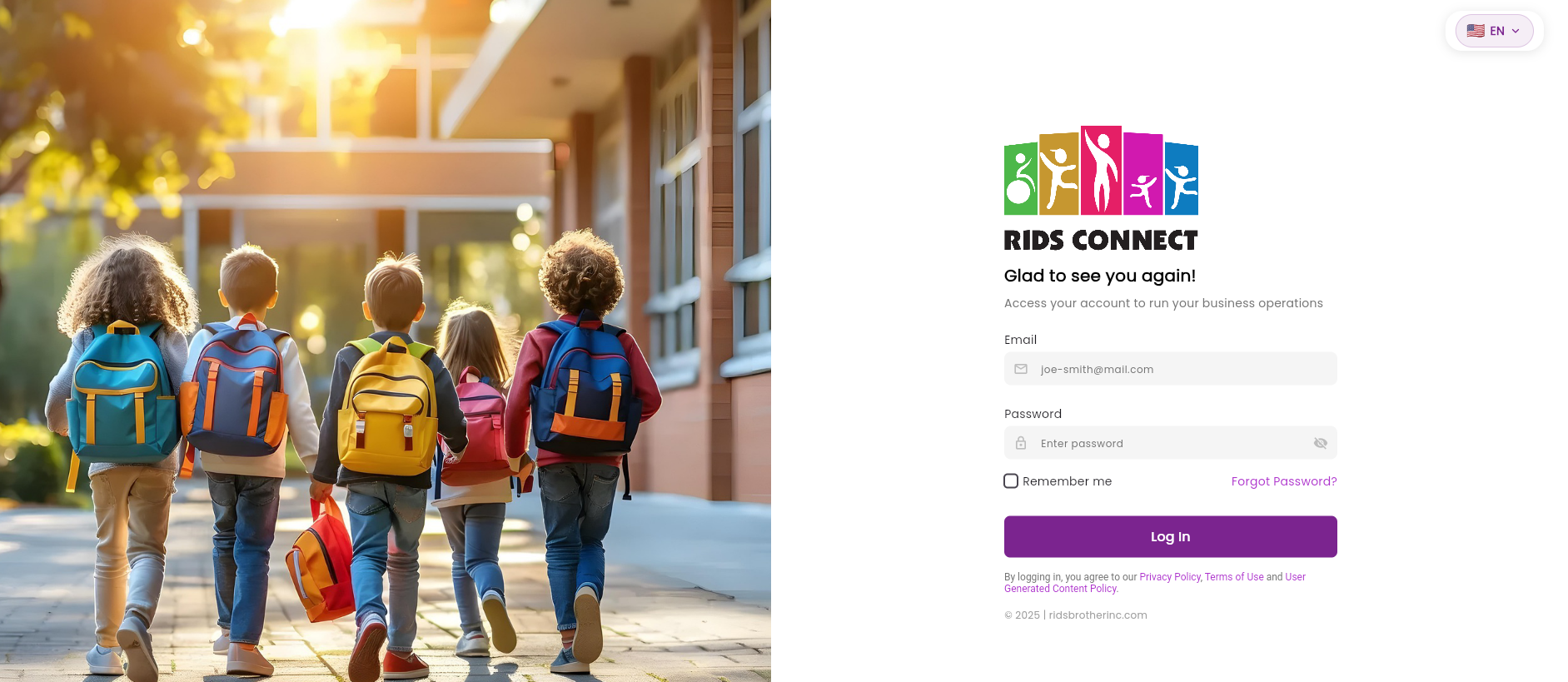
    RIDS Connect web portal login page with email and password fields beside a photo of students walking to school
  2. A driver's day at a glance

    Drivers open the app to a schedule grouped by today and tomorrow. Each trip shows the student, the vehicle and plate number, and the pick-up and drop-off addresses with dates and times.
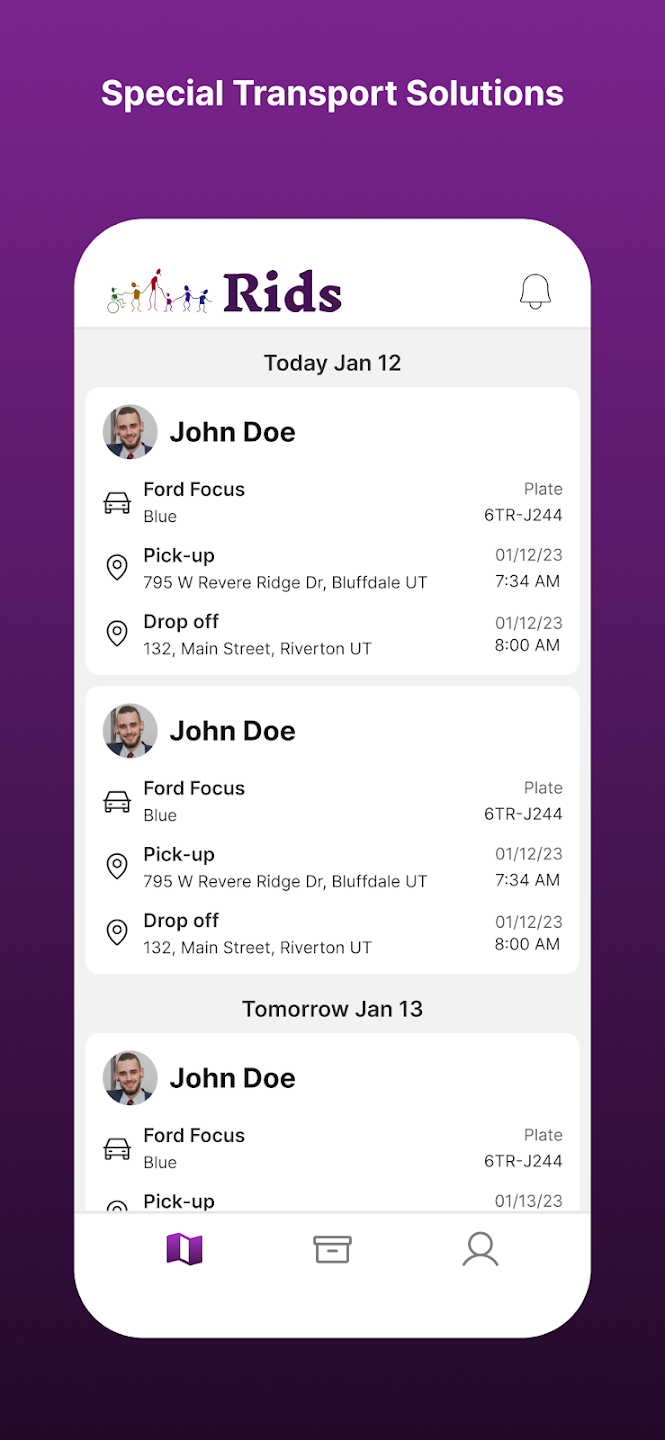
    Rids driver app on a phone showing today's and tomorrow's trips with vehicle, plate, pick-up and drop-off details
  3. Accept, review and start the route

    Before a ride, the driver sees the route on Google Maps, the total fare, each student's pick-up and drop-off times, and student notes such as allergies. One tap starts the trip, or the driver can deny it so operations can reassign.
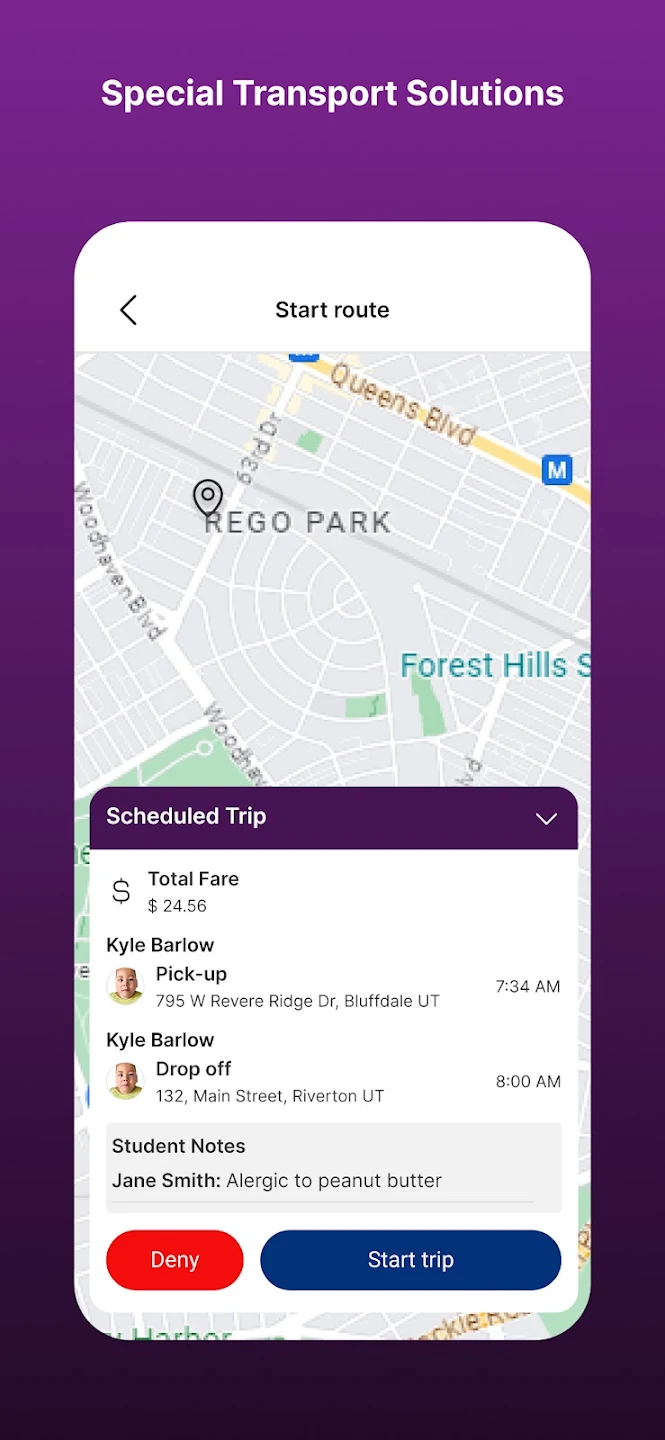
    Start route screen on a phone with a Google Map, fare, student pick-up and drop-off, student notes, and Deny and Start trip buttons
  4. Built for tablets too

    The same Flutter codebase adapts to larger screens, giving drivers with tablets a wide map view alongside trip distance, fare, stops and student notes.
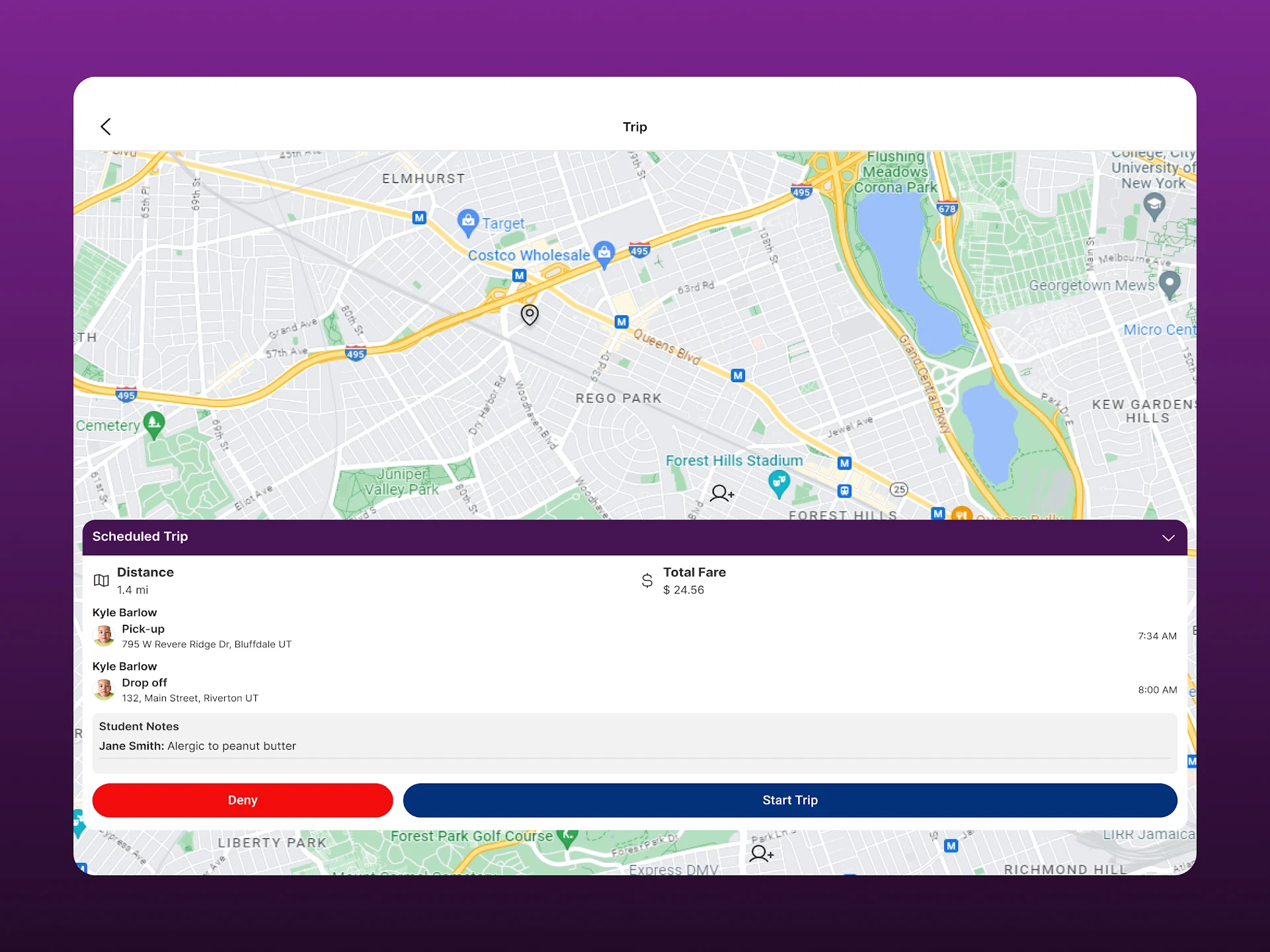
    Trip screen on a tablet with a wide Google Map and a Scheduled Trip panel showing distance, fare, stops and student notes

What it does

Driver app (Android & iOS)

  • Today and tomorrow trip schedule
  • Accept or deny scheduled trips
  • Start route on Google Maps
  • Distance and fare per trip
  • Notifications

Student safety

  • Student notes and allergy alerts
  • Pick-up and drop-off times per student
  • Vehicle and plate shown on every trip

Operations portal (web)

  • Secure team login
  • Trip and driver management
  • Vehicle and student records
  • Multi-language interface

Key decisions

One Flutter codebase for Android and iOS

Building the driver app in Flutter let a four-person team ship and maintain both platforms, on phones and tablets, from a single codebase instead of two separate native apps.

Student notes before every ride

Safety-critical details such as allergies sit directly on the trip screen next to the Start Trip button, so drivers cannot begin a ride without seeing them.

Accept or deny, not just assign

Drivers confirm each scheduled trip, so operations knows immediately when a ride needs reassigning and districts get dependable, on-time service.

Technology

  • Flutter

    Cross-platform driver app for Android and iOS

  • Google Maps

    Route maps and trip distance

Need a transportation or logistics app?